
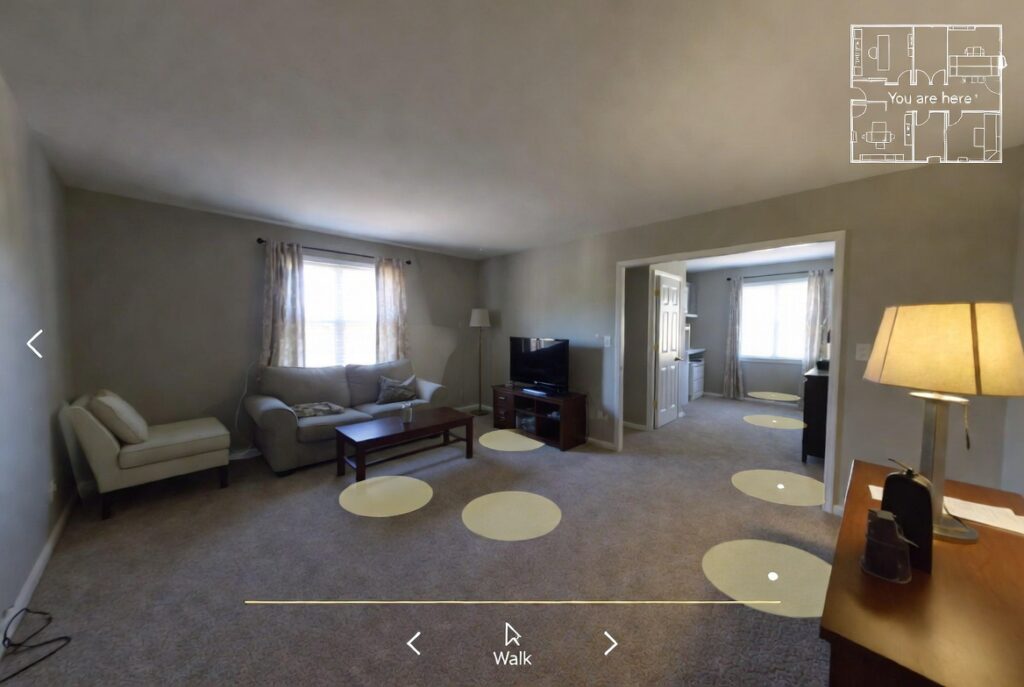
Starting a 3D Gaussian Splatting (3DGS) small business offers high profit margins and rapid entry into the reality-capture market. Unlike traditional 3D modeling, it bypasses weeks of manual digital sculpting. [1]
Here are the benefits broken down by operational advantages:
1. Minimal Initial Investment
- Use Existing Gear: You can start capturing commercial-grade data using just a modern smartphone (like an iPhone Pro) or a consumer drone.
- Low Software Overhead: Many core processing pipelines (like Nerfstudio or basic cloud-processing tiers) are free or low-cost, eliminating expensive enterprise CAD software licenses. [1]
2. High-Speed Production
- Rapid Turnaround: Traditional photogrammetry requires hours of manual cleaning, retopology, and texture baking. 3DGS allows you to go from video capture to a interactive 3D scene in under an hour. [1, 2, 3, 4, 5]
- Fewer On-Site Retakes: Because splatting excels at capturing complex lighting, reflections, and fine details (like hair or foliage), you rarely have to re-shoot a location due to texture baking failures. [1, 2, 3, 4, 5]
3. Superior Visual Quality (The “Wow” Factor)
- Photorealistic Results: Splats naturally capture specular highlights, glass reflections, and volumetric effects (like smoke or dust) that traditional mesh-and-texture models cannot replicate. [1, 2]
- Instant Client Buy-In: Pitching an interactive, hyper-realistic digital twin of a real-estate property, event venue, or e-commerce product is a massive competitive advantage over flat photography or low-polygon 3D meshes.
4. Low Technical Barrier to Entry
- No 3D Modeling Skills Required: Your primary skill set needs to be camera movement, lighting control, and basic dataset management, rather than complex 3D engineering or texturing. [1, 2]
- Easy Web Integration: Modern open-source web viewers allow you to easily embed interactive 3D splats directly into clients’ websites, Shopify stores, or digital portfolios with lightweight code. [1]
Thinking about starting an AI-enhanced virtual tour business? Buy PropertyCapture.ai
Capture Hardware (Cameras)
- Static Objects & Architecture: A full-frame mirrorless camera (like the Sony Alpha 7R V or Panasonic Lumix S5II) paired with a prime 24mm f/2.8 lens is considered the pinnacle for sharp, distortion-free ingestion. [1, 2]
- Quick & Dynamic Scans: High-end smartphones (e.g., iPhone 16 Pro Max) or action cameras (e.g., DJI Osmo Action 5 Pro) are exceptional for tight spaces or moving subjects, especially when recording 4K video to extract frames. [1, 2, 3]
- 360 Scans & Drones: Multi-camera action setups (like GoPros mounted at 3 different heights) or drones (like the Antigravity A1) yield impressive parallax and allow you to capture an entire environment rapidly. [1, 2]
2. Processing Hardware (The Workstation)
Gaussian splatting training relies incredibly heavily on the GPU and vRAM. [1]
- GPU: An NVIDIA RTX 4090 is widely considered the ultimate consumer card for splatting. The processing speed heavily depends on CUDA cores, and 24GB of vRAM ensures you can process dense point clouds without running into Out-Of-Memory (OOM) errors. [1]
- CPU: A modern multi-core processor (like the AMD Ryzen 9 7950X or Intel Core i9 14900K) to handle initial camera tracking, COLMAP/GLOMAP, and data processing. [1, 2, 3]
- RAM: 64GB to 128GB of DDR5 memory to prevent bottlenecks during the dataset-building phase. [1]
3. Software Workflows
- For Beginners: Paid, app-based photogrammetry platforms like Kiri Engine or Polycam offer outstanding results straight from your phone.
- Advanced Desktop Processing: Desktop tools like Postshot allow direct video-to-splat workflows. For highly accurate rendering and research, Nerfstudio remains a popular open-source choice. [1, 2, 3]
Further Exploration
- Review a multi-camera array specifically constructed for Gaussian Photography on Reddit.
- Read the comprehensive Field Guide to Gaussian Splatting compiled by The New York Times R&D for tactical camera configurations. [1, 2]